
Let's compare XOOT_Pro with other arm systems.
There are currently three good ergonomic solutions for holding pen displays.
- Monitor Arms
- Base Plate Systems
- XOOT_Pro
* Tilt Stands (a leg attaches to the back of the display) aren’t covered, because of their limited range in screen positioning.
Monitor Arms
There is a wide selection of monitor arms using different technologies and levels of quality. However, they follow the same design pattern.
A base is clamped to a desk. A series of pivoting arms attach to the base and a screen. The screen is freely positioned in the air.
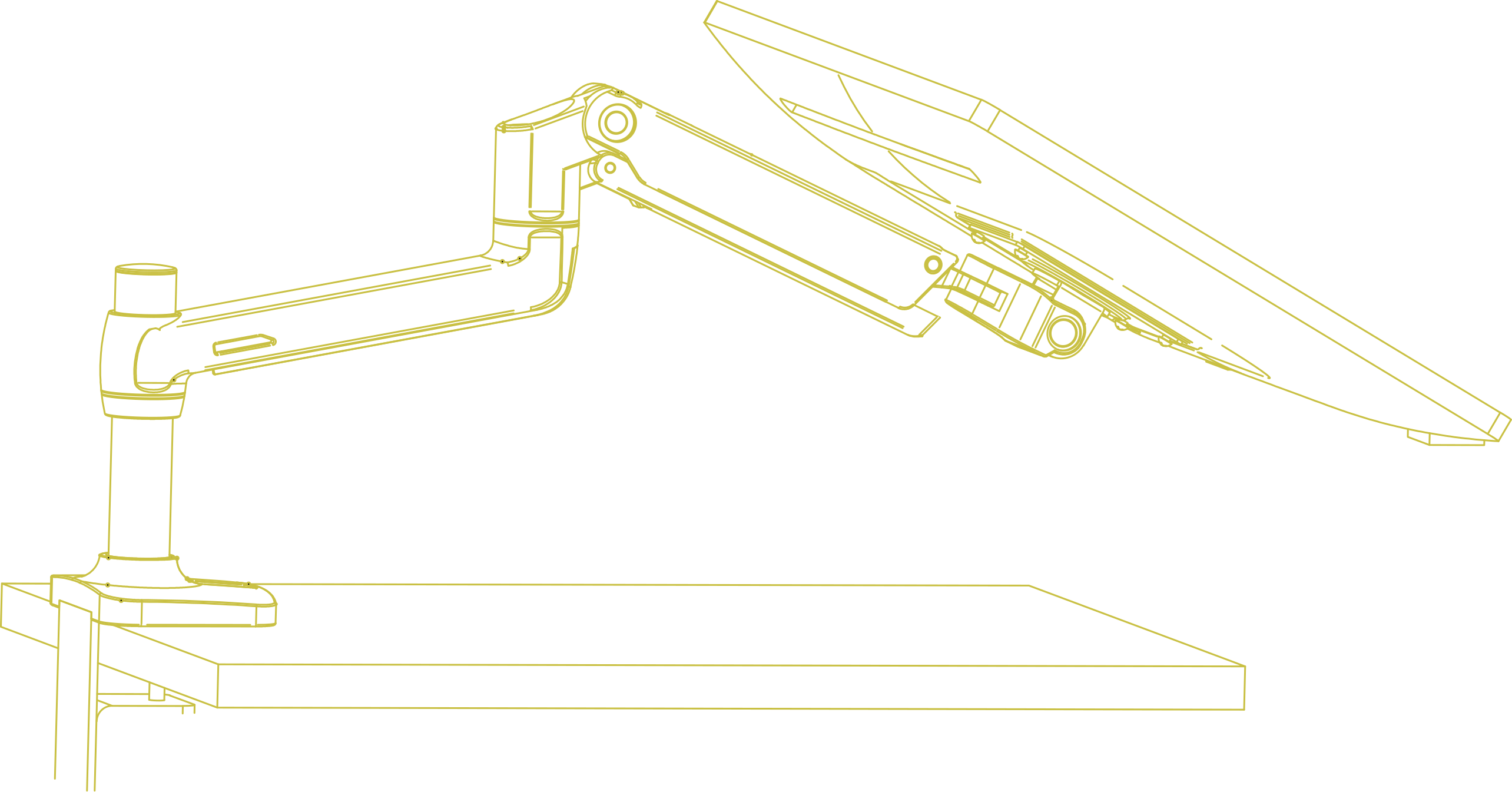
Advantages:
- They free up the most desk space.
- They have the widest variety of screen placement options.
- They cost less than the other solutions.
Disadvantages:
- They are less stable.
- This is just physics. For details see, Deep Dive: Anti-Topple Arms.
- The screen tends to wobble around when you are drawing.
- Your options of dealing with screen wobble are to:
- use your free hand to grab the screen and steady it.
- position the screen so its bottom edge touches the desk.
- just live with it. Use a light touch and careful movements.
- The arms are both, too hard to move AND too easy to move.
- This is the nature of the design. Each joint where the arms adjust, friction is is added to keep the screen in place.
- If you want arms that are easy to move and position, use no friction in the joints.
- If you want arms that don’t move when drawing on the screen, use lots of friction in the joints.
- It’s a zero-sum game.
- You can’t make the joints simultaneously easy to move and hold the screen well at the same time. The arm’s designer is forced to choose a level of friction that not great for either purpose.
- This is the nature of the design. Each joint where the arms adjust, friction is is added to keep the screen in place.
Summary:
If you looked at the advantages of Monitor Arms it’s a slam dunk. Why look elsewhere.
However, for pen displays, the disadvantages hurt.
Base Plate Systems
Base plate systems include Surface Studio and Yoga A940. However, the Ergo Stand is the only solution in this category with a removable screen. The comments below are directed toward the Ergo Stand family of products.
The base plate can be moved around the desk. Two parallel arms connect between base plate and the screen’s outer edges. Paddles are squeezed to adjust the screen angle.
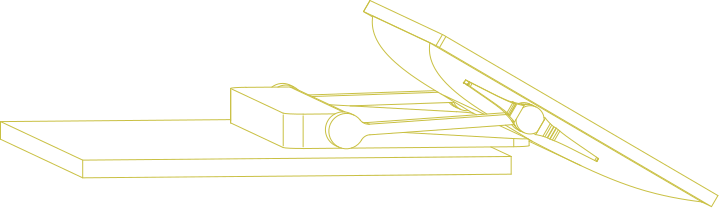
Advantages:
- The most stable configuration of the three.
- Wacom’s older version bases have less screen wobble than XOOT_Pro.
- No clamp is used.
- The base can move around the whole desk surface.
Disadvantages:
- It’s awkward to adjust.
- The arms have two positions, up or down. A latch must be triggered to drop the arms from up to down. When down, the bottom edge of the screen rests the desk or another hard surface.
- Moving between drawing positions is not a smooth process. That’s just the nature of this design.
- The following video is simple strait forward example of how to use this system:
I’ve also made a video detailing the new Cintiq Pro 27 Stand.
- It takes up a lot of desk space.
- The base needs a large area to prevent the screen from toppling over. Thus, it tends to get in the way of everything else on the desk. You’re likely to end up juggling around the mouse and keyboard each time the base moves around.
Summary:
The advantages seem compelling, a rock-solid display holder that can slide anywhere on the desktop.
However, if you have other stuff on your desk that slide anywhere freedom gets hindered. The biggest disadvantage is that the screen is hard to move around. This system works best when the arms are locked in position and only the screen angle is changed. This can lead to working in static positions for long periods.
XOOT_Pro
XOOT_Pro is designed to make adjusting a pen display to be easy.
One set of arms are clamped to the desk. These arms allow a base to slide around the desktop. At the base, another set of arms allows the screen to pivot between vertical and horizontal modes.
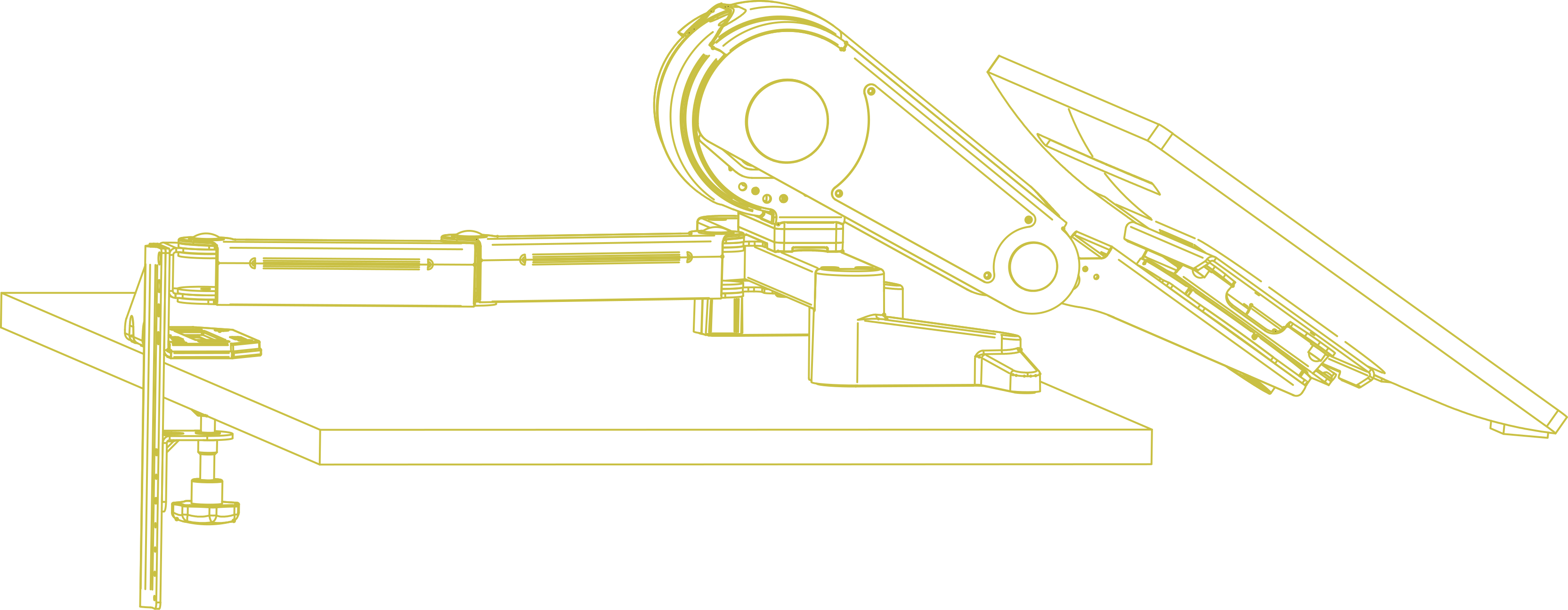
Advantages:
- It’s simple and fast to position the screen
- Simple, just push or pull to position the screen.
- The arms move with very little friction.
- The arms lock in place when the screen is released.
- The screen’s path is optimized for good visibility and ergonomic drawing positions.
- The screen travels over the mouse and keyboard. They don’t get in the way.
- The ease of moving the screen enables other features.
- Quick switching between Tasks
- Monitor mode – When the screen is remote and vertical, it’s easy to use with a mouse and keyboard.
- Drawing modes – When the screen is pulled forward, it’s within comfortable drawing reach.
- Better Ergonomics
- It’s easy to move the screen. Don’t burn yourself out working in one position for extended periods.
- Less fatigue, feel better at the end of the day.
- Time Savings
- Faster Task Switching. Quickly match the screen position to the task.
- Quick switching between Tasks
Disadvantages:
- It’s mechanical complicated.
- This increases the cost.
- You can’t adjust screen tilt without also moving the main support arm.
- In both the other arm systems, screen tilt and support arm position arm are independent.
- This feature was omitted from XOOT_Pro because it slows down operation. The screen can end up in angles where it unintentionally bumps into things, requiring more maneuvers to correct things.
- In both the other arm systems, screen tilt and support arm position arm are independent.
Summary:
XOOT_Pro was designed for speedy, stable and reliable operation. Thus, it lacks some of the freedom of adjustability that comes with the other systems. It’s also expensive. However, for workflows that involve moving the screen around, it’s the best solution.
Choose Based on Your Needs?
All the current arm systems for pen displays can hold a screen in a comfortable ergonomic position.
Each arm system has their advantages and disadvantages.
We realize the XOOT_Pro is not going to be the right solution for everyone.
However…
We love the XOOT_Pro, and here’s why we’re biased:
The XOOT_Pro was designed specifically to eliminate the frustrations we experienced with other monitor arm systems. When moving your screen becomes second nature, it completely reshapes your workflow.